GA4: The new Google Analytics
Google recently introduced Google Analytics 4 (or GA4 short) as its new default experience for all new properties. The new version of Google analytics builds on the foundation of the App + Web property introduced in 2019 and is a new, ‘smarter’ approach to analytics. GA4 combines the power of machine learning with its new event-driven data model and lots of other new functionalities to generate a more customer-centric approach. In this blogpost, we’ll guide you through the main differences with the ‘old’ Universal Analytics and tell you something about the new features of GA4.

Main differences with Universal Analytics
The new event-driven data model
The biggest difference between GA4 and older versions of Analytics is the use of a new data model. While Universal Analytics (and older versions of GA) were based on page views as the main building blocks, GA4 uses a more flexible event-driven model.
GA4 is built on top of Firebase Analytics (Google’s app analytics tool). In contrast to classic website tracking, mobile apps consist of a series of activities (things you can do), rather than pages (things you can see). Using the concept of page (or screen) views to analyze the experience a user is having with your app can be unintuitive.
In the new GA, all activities (page views, button clicks, etc.) are tracked with a more simplified system of events and user properties. So, unlike Universal Analytics, where an event was a hit type, in GA4 all hits are events. For any activity you would like to record, an event can be created and parameters necessary to describe it can be attached.
For those worrying about the cost of sending a high volume of events to GA4 properties: unlike Universal Analytics, GA4 can batch multiple events into a single hit, so there is no need to cram multiple actions into a single event.
Customer-Centric Approach
Instead of a fragmented view per device or by platform, GA4 gives you a more customer-centric perspective. With the help of marketer-provided user IDS and Google Signals (more about this later), you will have a better understanding and a more complete view of how your customers interact with your business.
With the new approach data from both your website and mobile applications will be using the same data schema. This will give you the ability to roll up your data across your platforms in a more powerful way than the rollup properties in Universal Analytics. Besides, managing a unified view and touchpoints of both website and mobile app data in the same property also allows you to get the best out of campaign attribution analysis and audience creation.
New features
Codeless event tracking
Marketers with limited coding or Google Tag Manager Skills can also benefit from GA4. Expanded codeless tracking makes it possible to track basic actions like video plays or page scrolls in real-time, without having to add code to your website or set up event tracking in Google Tag Manager. By just enabling ‘Enhanced measurement’ in the data stream settings, Google will automatically deploy code to your site or app, without the need for new tags.

Google Signals
Google signals allows you to take advantage of new and improved advertising and reporting features. By deduplicating users, it offers you the ability to gain a more complete view of how customers are engaging with your brand across devices and channels.
When you enable this feature, your Google Analytics data is upgraded to include more info from Google users, concerning demographics, Ads reporting and remarketing data. Notice that this can only be done for those who have turned on Ads Personalization in their Google Account.
AI and ML
The new AI- and machine learning-powered insights and prediction features help you to get the most out of your data. New metrics like potential revenue and churn probability and new features like automatic alerts, cross-device measurement and trend predictions are some examples of what GA4 has to offer.
Analysis Hub
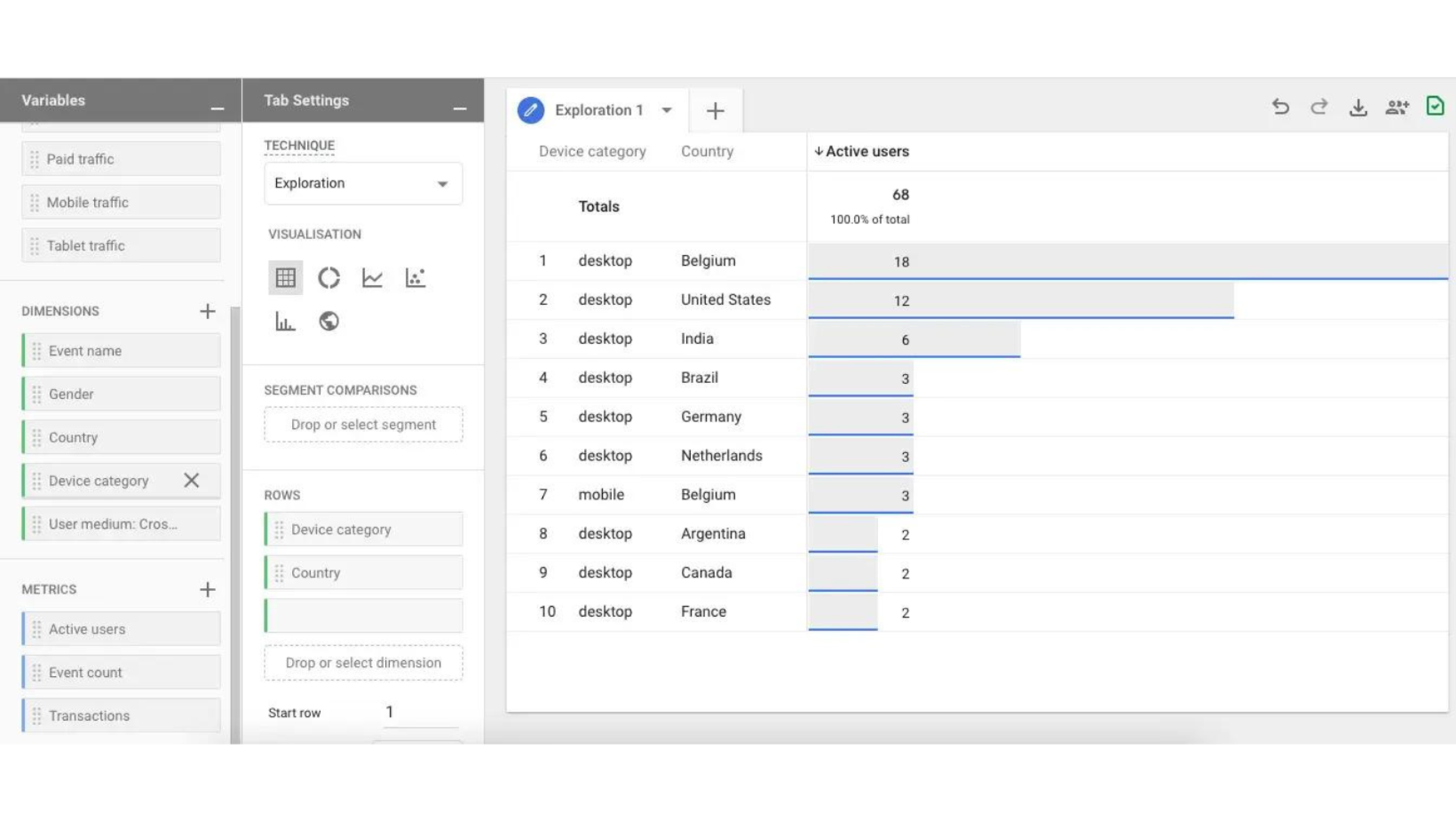
With Analysis Hub GA4 has a significantly more powerful analysis tool than UA and other versions of Google Analytics. This feature enables you to create flexible customized reports (in addition to the existing standard reports) with a user-friendly drag and drop interface, making it easier to explore data, create conversion funnels and analyze the complete customer journey of your audiences.
BigQuery Export
In BigQuery – Google’s data warehousing tool – you can get access to your raw Analytics data and join it with other sources or run SQL queries on it. Previously, this tool was only available for Google Analytics 360 users. With the introduction of App+Web properties last year, users of the new property types had the chance to try these exports for free. In GA4, the free BigQuery export is now available to everyone, so even users on the free version of GA. However, keep in mind that it comes with an on-demand pricing model (you pay for the amount of data stored and accessed)
Integrations
An interesting new aspect of GA4 is the deeper integrations with other Google Marketing Platform products like Google Ads. As mentioned earlier, marketers can now build and maintain cross-device audiences from their visitors across their website and app.
DebugView
Testing and debugging your Analytics setup is very important, although it requires some knowledge of your browser’s Developer Tools, browser extensions or proxies. The new GA4 however, has its own built-in report called DebugView. This report allows you to isolate your real-time data flowing in from your device while testing your code.
Data Controls
GA4 also has enhancements in the area of data governance and GDPR. With improved data deletions capabilities and a preview mode, users can easily comply with deletion and access requests.
In addition, GA4 includes options to help advertisers comply with data regulations such as GDPR and CCPA and also has a consent mode designed for sites that have to obtain end-user consent to collect analytics data.
Should I migrate to GA4?
All these innovations may feel overwhelming at first. Some default reports you use have been removed or replaced, popular dimensions and metrics such as Medium and Bounces are no longer available and the migration to the new setup can look scary and requires a new process for designing your implementation and adding a tag (In an upcoming blog post we’ll guide you through the setup of GA4).
However, we highly recommend you to create a GA4 property alongside your current Universal Analytics properties at first. This will allow you to start collecting data (and collect a back history of data), explore the new Google Analytics and benefit from the latest innovations as they become available while keeping your current implementation intact.